Campus Wi-Fi (NSCC WiFi) is available at various locations on all Nashville State campuses. Wi-Fi reception is dependent on your proximity to the wireless access points located throughout each building and your device antennae.
Problems with your password? Click here for instructions on how to reset your campus password.
Students can connect to NSCC WiFi by using their student email address as the username. The password will be the same as your myNSCC password.
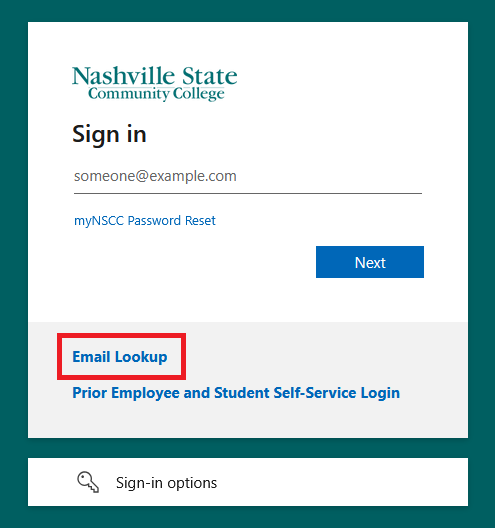
Your student email address can be found using our email lookup tool. To find the tool go to the MyNSCC login page and click the Email Lookup link or click the text that says Email Lookup Link.
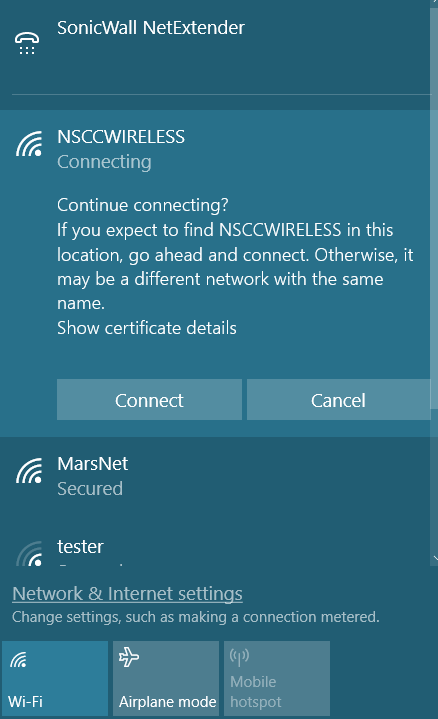
Choose NSCC WiFi in the list of available Wi-Fi networks. Type in your student email address and password. Click OK.
Windows will prompt you to verify that you would like to connect to NSCC WiFi due to the security certificate for the network. Click Connect to finalize your settings and join the network.