All students are provided a license for Office 365 products which will remain active for up to one year after not taking classes at NSCC.
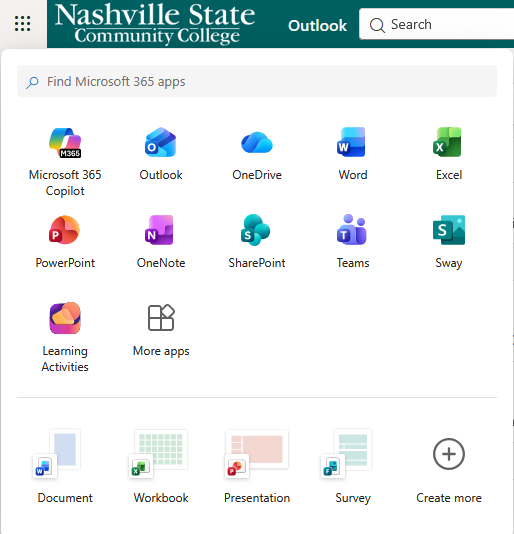
This includes access to the web based portal so Word, Excel and other Microsoft products can be used through a web browser.
1. To access the web based portal go to the email login of Email.nscc.edu.
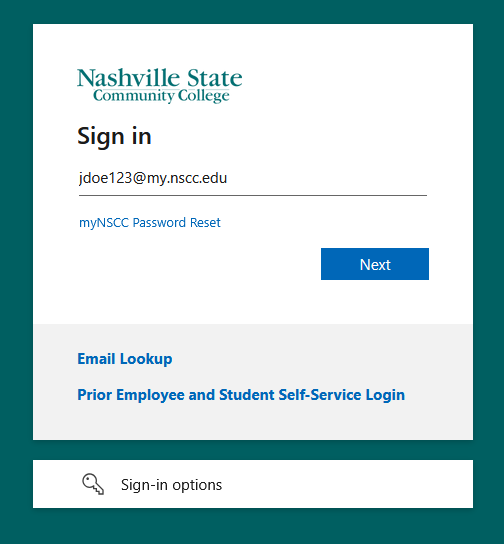
2. Sign in using your Student email address.
Note – Your student email address can be found using our email lookup tool. To find the tool go to the MyNSCC login page and click the Email Lookup link or click the text that says Email Lookup Link.
3. Click “Next”
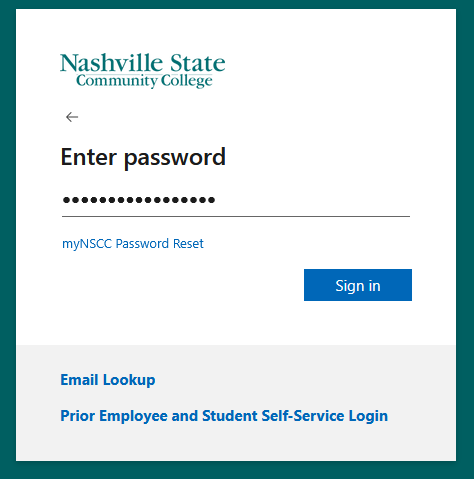
4. Enter your myNSCC password
5. Click “Sign in”
6. Follow any additional prompts
If you are prompted to set up your Multi-Factor Authentication you can do so using the instructions provided on the MFA Setup page link.
Common questions regarding multi-factor authentication are located under Office 365 in the Knowledge Base.